We’re introducing Field Access Levels for our API, giving institutions a new level of control over how personal and sensitive information is accessed through the API.
As integrations become more powerful and AI agents begin to interact directly with institutional data, controlling access is no longer just about deciding which records an application can see. It is also about controlling which information within those records it can access.
Field Access Levels make that possible.
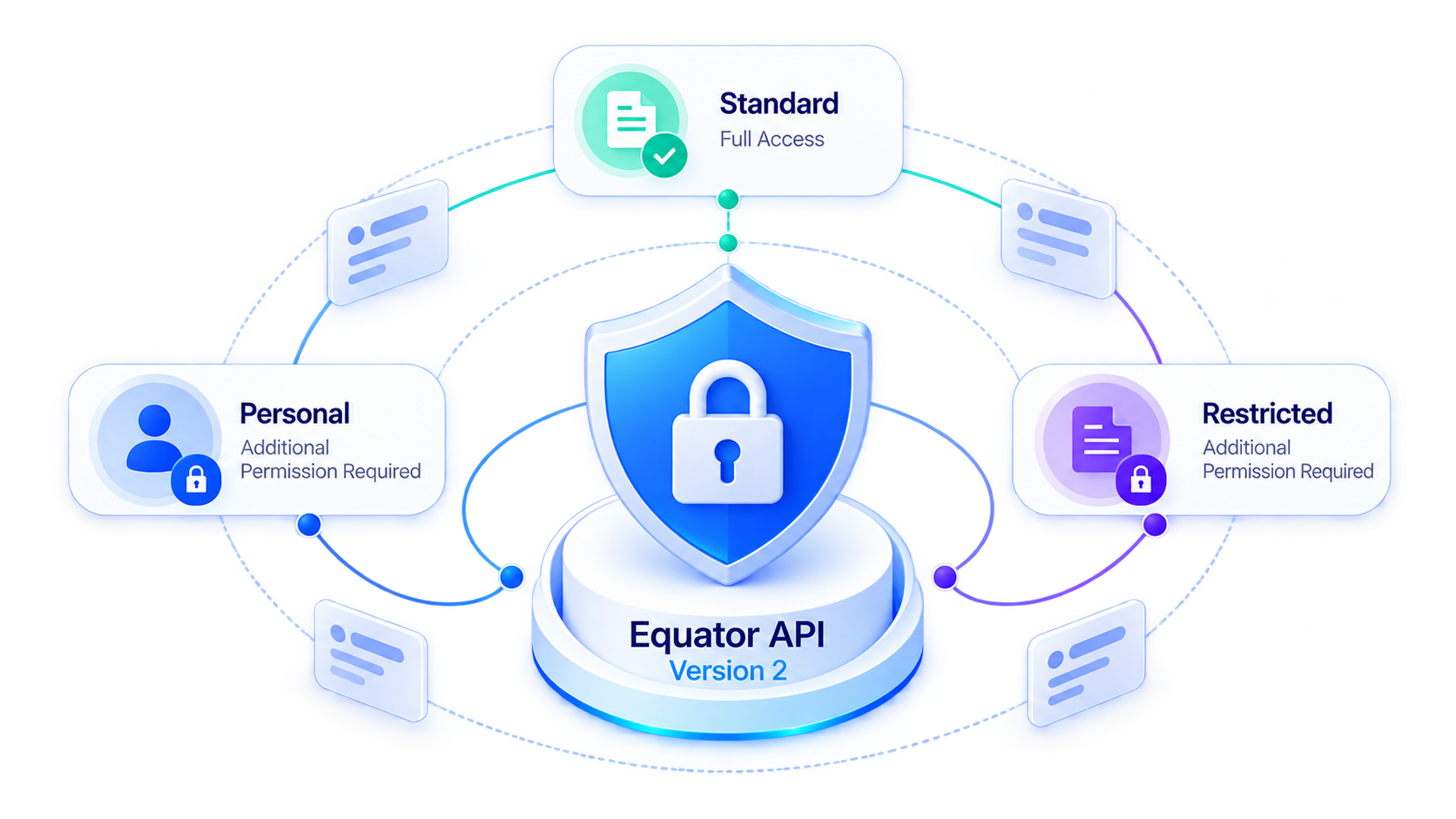
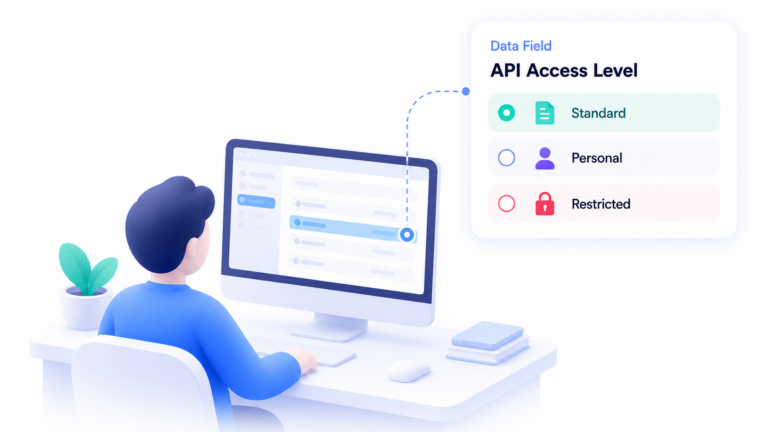
Each field can now be classified as Standard, Personal or Restricted, adding extra permission controls around personal and sensitive information while still allowing integrations, automations and AI-powered solutions to access the data they need.
🔐 Go Beyond Resource-Level Permissions
API permissions already control which resources an application can access. Field Access Levels introduce another layer of control within those resources.
For example, an integration may have permission to access student records without automatically receiving access to every field stored against a student.
Fields can be assigned one of three Access Levels:
Standard
General information available when the application has permission to access the relevant API resource.
Personal
Personal information that requires an additional API permission before it can be accessed.
Restricted
Sensitive information that requires an additional API permission before it can be accessed.
For example, student information could be classified as:
- Standard: Student Name
- Personal: Student Email Address
- Restricted: Student Passport Details
This gives institutions more granular control over the information exposed through the API.
🔍 Control What Integrations and AI Agents Can See
This becomes particularly important as APIs power more than traditional system-to-system integrations.
Consider an AI agent or reporting integration designed to analyse Offers across your institution.
To perform that task, it may only need access to basic information about the offers and students. It may not need access to the student’s personal contact details or sensitive information such as passport details.
With Field Access Levels, you can establish those boundaries.
An application can access the student resource and its Standard fields, while Personal and Restricted fields remain protected unless the integration user has specifically been granted the additional permissions required to access them.
The same controls apply whether the API is being used by an AI agent, an automation, an internal application or an integration with another system.
🛡️ Protect the Data That Matters to Your Institution
Every institution manages different information, so these controls are not limited to the fields provided by default.
Field Access Levels can also be assigned to custom fields.
If your institution creates a custom field containing personal or sensitive information, you can assign the appropriate Access Level and require additional API permissions before an integration can access it.
This means the same access controls can protect both system fields and information specific to your organisation.
🏷️ Default Access Levels
We have assigned default Access Levels to Student fields based on the type of information they contain. For example, contact details are classified as Personal, while passport and medical information is classified as Restricted.
These classifications are not fixed. You can review and change the Access Level assigned to both system and custom fields to suit your organisation’s data access requirements.
Field Access Levels are also not limited to the Student object. You can classify fields across other supported objects where you want additional control over the information available through the API.
🔑 New Permissions for Personal and Restricted Data
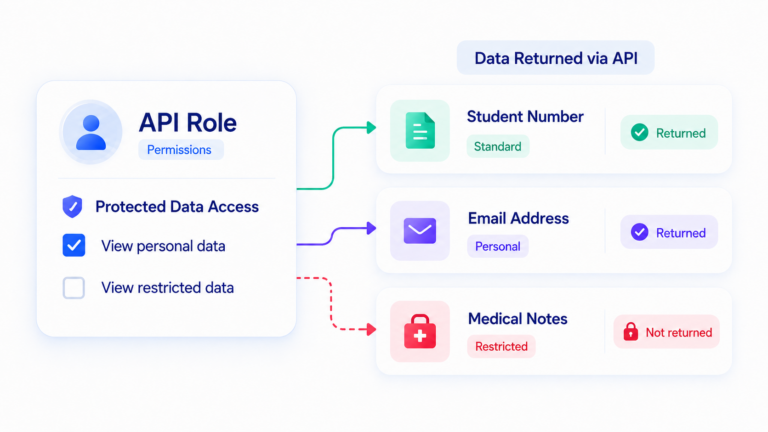
Two additional permissions are now available for API Roles:
- View personal data: Allows the integration user to access fields classified as Personal.
- View restricted data: Allows the integration user to access fields classified as Personal and Restricted.
These permissions are separate from the permissions that provide access to API resources.
This means an integration user may have permission to access Students, for example, but will only receive Standard fields unless it has also been granted permission to access Personal or Restricted data.
🔒 Existing Integrations Remain Protected by Default
To protect personal and sensitive information, we have not automatically assigned either of the new permissions to existing integration users.
This means existing integrations using the API v2 will not receive data from fields classified as Personal or Restricted unless the appropriate new permissions are explicitly granted or the access levels for those fields is set as Standard.
This approach ensures that introducing Field Access Levels does not automatically expand an existing integration’s access to protected information.
However, it also means you should review your existing integrations to determine whether they rely on any fields that are now classified as Personal or Restricted.
⚠️ Action Required: Review Your API Access
We recommend reviewing your field classifications and existing integrations using the API v2 to make sure they have the appropriate level of access.
- Review your Student and Student Contacts fields
Check which fields are currently classified as Personal or Restricted and confirm that their Access Levels are appropriate for your organisation.
You can easily review these from the Object Fields list using the Access Level column. From the same grid, you can also update the Access Level for an individual field or multiple fields at once. - Review what your integrations need
Determine whether any of your existing integrations need access to fields classified as Personal or Restricted. - Update API Role permissions where required
If an integration legitimately requires this information, add the appropriate View personal data and/or View restricted data permission to its API Role.
If an integration does not require Personal or Restricted information, no additional permissions need to be granted.
This gives you the opportunity to make a deliberate decision about which integrations can access personal and sensitive data rather than providing that access by default.
⚡ More Powerful Integrations. More Control Over Your Data.
API v2 was built to support a new generation of integrations, automation and AI-powered solutions.
As those possibilities grow, so does the importance of controlling exactly what information each system can access.
Field Access Levels provide another important layer of security and governance within API v2, helping institutions take advantage of connected systems and AI-powered solutions while maintaining greater control over personal and sensitive data.